Internet cafe software has been sold since the late 1990s. It grew alongside public computer rooms, LAN gaming shops, and cyber cafes that charged for time on shared machines. Demand for that model has dropped across much of the world. Cheaper home computers and widespread mobile phones removed most of the reason to pay for a session just to check email or read the news.
The decline is uneven by region. Where home internet is expensive or hard to reach, paid access still fills a need. Where mobile data is cheap, the traditional cyber cafe has mostly vanished. Several long-running software brands were discontinued or left without updates as the market shrank. A smaller group kept shipping releases and answering support. Those are usually the safer platforms to build a venue around.
How to choose cyber cafe software
Start with the venue type. A classic internet cafe, esports arena, hotel computer room, library lab, and LAN gaming center have different priorities.
Test the real workflow. Create accounts, sell time, extend sessions, reboot a client, process a refund, close a shift, and recover from a disconnected PC.
Plan for scale. A setup that feels fine with five PCs can become noisy or slow at fifty, one hundred, or more.
Check recovery. Good software is not only feature-rich; staff must know what to do when a client freezes, a payment is wrong, or the network drops.
Security and trust on shared computers
A shared computer carries a trust problem that a home machine does not. Customers may sign into email, banking, or social accounts on a workstation that dozens of strangers use each week. Any of those machines can be watched or altered. The worry is fair.
The risk often points the other way too. In many cafes it is the customer, not the operator, who installs a keylogger or leaves malware for the next person. Client control and session hygiene answer both sides of that problem. A session timer does little on its own if the software cannot reset user changes, restrict system tools, and keep its own defenses patched. Security that is never updated stops protecting anyone.
From internet cafes to esports and game centers
Many venues that started as plain internet cafes now run as game centers or esports lounges. The change tracks where demand went. Competitive gaming pulls large audiences and steady local interest. Paid seats at high-end gaming PCs stay viable in places where paid seats for web browsing no longer do.
The software moved the same way. Some cafe platforms added launcher management, game libraries, memberships, events, and tournament tracking on top of their original billing. An operator planning that switch usually checks whether the software can install and patch games across many clients, whether it handles player accounts and rewards, and whether it still covers the daily billing and reporting a front counter depends on.
Featured internet cafe software
HandyCafe Genesis: hands-on
HandyCafe Genesis is the ground-up Rust rebuild of the long-running HandyCafe, aimed at gaming and esports venues. This hands-on review runs it through a week of real use and covers the cloud dashboard, mobile control, remote desktop, member accounts, security, AI, and support.
HandyCafe Genesis is a new build of the long-running HandyCafe, announced about 25 years after the original and now in open beta. Built in Rust and aimed at gaming and esports venues, it adds cloud management, mobile management, and mobile member accounts on top of the usual billing and client control. The notes here draw on the published details and early beta-tester feedback, since the stable release is not out yet.
ggLeap is a cloud-first management platform for esports arenas, universities, LAN centers, and cyber cafes, covering session billing and player accounts through a hosted console. Subscriptions include ggCircuit, a companion platform that awards coin-style rewards and manages prize redemption for repeat players.
HandyCafe is older internet cafe software that some venues still run on the counter PC and client machines. It is paid software today, with a license price that stays affordable for a small venue, and it covers time billing, client control, and daily reporting for existing installations.
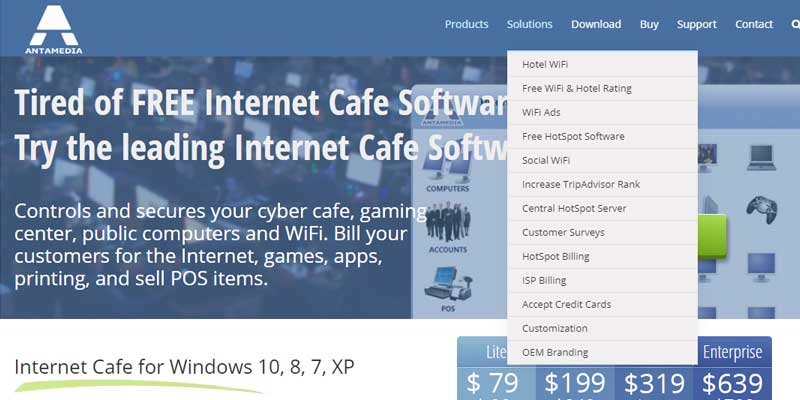
Antamedia Internet cafe software controls, secures, and bills usage on public computers for internet cafes, gaming centers, esports centers, libraries, schools, and hotels. It covers internet browsing, application access, and retail sales, and adds an optional Wi-Fi hotspot billing module for wireless customers.
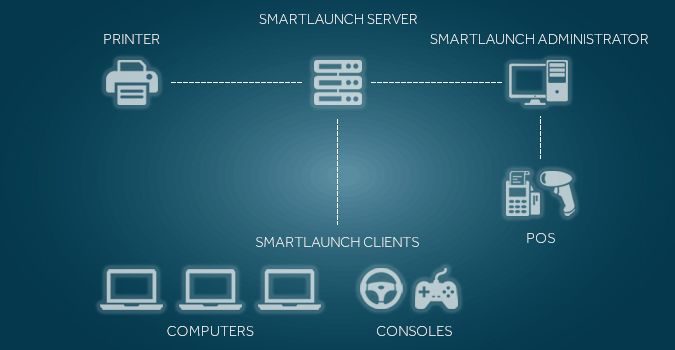
Smartlaunch combines traditional internet cafe billing with esports center and tournament management, including bulk game installation and patch management across many client PCs. It suits venues transitioning from a standard cyber cafe toward a game center model.
SENET, developed by Enestech Software, is a cloud-based platform for gaming lounges that covers visitor payment control, client PC management, and station-level customer login without requiring an on-site server.
Gizmo is point-of-sale and PC management software for shared or public access computers, including gaming centers, esports arenas, libraries, hotels, and internet cafes. It does not carry the gaming-specific tooling of ggLeap or Smartlaunch, but suits an owner who wants a cost-effective, straightforward setup.
A single line of income is fragile when session demand is uncertain. Many operators use their management software to open more than one. Point-of-sale for snacks, drinks, and accessories is the most common addition. Most platforms fold it into the same shift and reporting flow that already handles time.
Some software also offers Wi-Fi hotspot billing for customers on their own devices, which can matter where mobile data is costly. Memberships, prepaid balances, loyalty rewards, and ticketed events give repeat visitors a reason to come back. None of these fix a weak core product. They can steady the numbers for a venue that already runs on dependable billing and control.